What Is a Merchant Service? Don’t Get Ripped Off
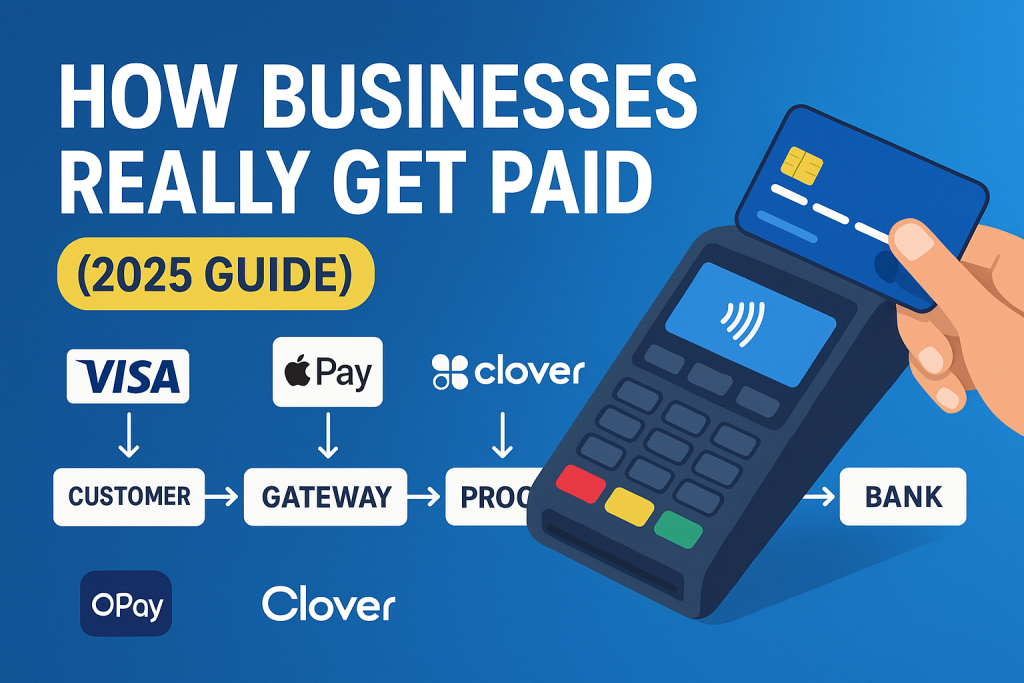
Let’s be real—if you run a business in 2025, you have to accept digital payments. Cash is fading, and customers expect seamless, fast, and secure checkout experiences. But what actually powers that behind the scenes?
Merchant services is the engine room of modern commerce. Whether you run a coffee shop, eCommerce store, or dental clinic, merchant services are what let you accept credit cards, debit cards, mobile wallets, and more. If you’re also exploring tools to enhance your payment system, check out my guide to the 5 best bank platforms for digital payments or learn what makes a great personal banking experience for business owners juggling both sides.
In this guide, I’ll walk you through exactly what merchant services are, how they work, what to look for in a provider, and the mistakes that cost businesses thousands every year. No jargon. No fluff. Just the facts that help you make smarter business decisions.
So, What’s Included in Merchant Services? (As a Small Business Owner)
When someone walks into your restaurant, finishes their burger, and wants to pay with a card, there’s a whole behind-the-scenes system working together to make that happen smoothly. That’s what merchant services are—everything that works together so I can say, “Yeah, we take cards.”
Let me show you how it all fits together with real examples from my client’s experience.
Step-by-Step: What Happens When Someone Pays for Their Meal (with Real Industry Terms + Examples)

Let’s say a customer just finished their burger and fries, and they’re ready to pay $22.50 using their Visa card. Here’s what happens behind the scenes using real payment roles and common companies, but without promoting just one provider.
1. Customer taps their card

The customer taps (or inserts/swipes) their Visa card—which was issued by a bank like Chase or Bank of America. That’s what we call the issuing bank—it’s the financial institution that gave the card to the customer and holds their funds or credit line.
- The moment they tap, that card data starts its journey.
- This card might be a credit or debit card.
- The card contains sensitive info (card number, expiration date, CVV) and is often secured with EMV chip or NFC (for tap payments).
2. Merchant captures the info

You—the restaurant owner—use a Point-of-Sale (POS) terminal to take the payment. This is the hardware/software that physically captures the card data.
The POS captures the encrypted card data and sends it to the payment gateway (or sometimes directly to the processor, depending on setup).
POS systems can be part of platforms like:
Some POS systems are “all-in-one” and include software, terminal, gateway, and sometimes even processing.
3. Payment gateway securely sends info to processor
The payment gateway acts like a secure bridge between your POS system and the payment processor.
- It encrypts the sensitive data and ensures it’s transmitted securely.
- Gateways also help detect fraud and ensure compliance with PCI DSS (Payment Card Industry Data Security Standard).
Examples of standalone or integrated gateways include:
Some modern providers bundle the gateway and processor together (like Stripe or Square), so you don’t always see this step separately—but it’s still happening behind the scenes.
4. Payment processor handles the heavy lifting
The payment processor is the operational engine in the middle. It handles communication between all the players and pushes the transaction forward.
- It receives the encrypted payment data from the gateway
- It routes the request through the appropriate payment network (like Visa or Mastercard)
Some of the major processors are:
If you ever hear about “interchange” fees or PCI compliance fees—that usually comes from the processor’s side.
5. Payment network contacts the issuing bank
The payment network (Visa, Mastercard, Amex, Discover, etc.) plays the role of traffic controller. It moves the request to the right place and makes sure everything’s following their rules.
- In this case, Visa would forward the request to Chase (the issuing bank).
- Visa essentially asks, “Can we approve a $22.50 payment for this card?”
These networks also set the base fees (interchange + assessment) that processors and acquiring banks build on top of.
6. Issuing bank says yes or no
Now it’s on Chase (or whoever issued the card) to make the call.
They check:
- Does the customer have enough funds or credit?
- Is the card active?
- Are there any red flags (like fraud alerts or travel restrictions)?
If everything looks good, the issuing bank approves the transaction and tells Visa, “Yes.”
7. Approval flows back to the merchant
The approval message travels back the same way it came, in reverse order:
Issuing bank → Payment network → Payment processor → Payment gateway → POS terminal
Your POS terminal finally says: “Approved” and prints the receipt. You hand it to the customer, and boom—burger paid.
This entire process usually takes less than 2 seconds in real time.
8. Funds settle into your merchant account
The payment doesn’t hit your bank right away. It goes to your merchant account first—a special kind of bank account that holds card payments before they’re settled.
- The acquiring bank (aka merchant bank) handles this part.
- It receives the funds from the issuing bank and moves them into your business bank account, usually within 1–2 business days.
Depending on your provider:
- Some platforms (like Square, Stripe, PayPal) have aggregated merchant accounts and handle settlement in-house.
- Others (like Fiserv, TSYS) work with traditional acquiring banks like Chase, Wells Fargo, or Bank of America to move the money.
If you’ve ever had delays in your payouts or held funds, it often has to do with this step—and how risk is being managed by the processor or acquiring bank.
Real World Flow Summary
| Role | Example |
|---|---|
| Customer | Pays with Visa from Chase |
| Merchant | Restaurant owner (you) |
| POS System | Toast, Clover, Square, Shopify POS |
| Payment Gateway | Stripe, PayPal, Authorize.net, Adyen |
| Payment Processor | Fiserv, TSYS, Worldpay, Stripe, PayPal, Adyen |
| Payment Network | Visa, Mastercard, Amex |
| Issuing Bank | Chase (customer’s bank) |
| Acquiring Bank | Bank that holds your merchant account (could be integrated or separate) |
Key Takeaway
The payment processor isn’t a bank—it’s a service company that moves the transaction through the payment network and talks to both the customer’s and the merchant’s banks. Whether you’re using Square, PayPal, or something through your local bank, there’s always a processor doing the hard work behind the scenes.
Common Merchant Services Fees You Need to Know About
When I first started looking into merchant services for my clients, I was kind of shocked by all the fees involved. It’s one of those things you never think about until you’re the one paying them. If you’re setting up a merchant account, here’s a breakdown of what you’ll probably face. Let’s dive into the common fees and what they actually mean so you don’t get blindsided!
Setup and Application Fees
Range: $0 to $500
- Square and PayPal usually don’t charge any setup fees.
- Other providers like Fattmerchant may charge a one-time fee of $50 to $500 to get you started.
Explanation: This fee covers the cost of reviewing your merchant application, verifying your business, and setting up the account. Some providers keep it free, but others charge for the administrative work.
Monthly and Annual Fees
Monthly Fee Range: $5 to $50 per month
- Square: No monthly fee for basic services.
- PayPal: Around $30/month for a business account.
- Shopify: Monthly plans range from $29 to $299 depending on the plan you choose.
Annual Fee Range: $0 to $500 per year
Some providers may charge an annual maintenance fee for premium support or added services, like advanced fraud protection.
Explanation: These fees help maintain your account and cover ongoing services, like technical support and system upgrades. Some businesses might only need the basic services, while others will require premium features for an extra cost.
Per-Transaction Fees
Flat Rate
Range: 1.5% to 3.5% per transaction
Example:
- Square charges 2.6% + 10¢ for in-person payments.
- PayPal charges 2.9% + 30¢ for online payments.
Interchange-Plus
Range: 0.2% to 0.5% + interchange fees
Example:
- Stax and Fattmerchant charge a small markup (e.g., 0.2% to 0.5%) on the interchange rate.
Tiered Pricing
Range: 1.5% to 4.0% per transaction (depending on tier)
Example:
- Providers like First Data group transactions into tiers (e.g., Qualified, Mid-Qualified, Non-Qualified) with varying rates.
Explanation: This is the most common fee you’ll face. It’s tied to each transaction you process. The pricing model impacts how much you pay per transaction:
- Flat rate is simple but can be expensive if you’re processing a lot.
- Interchange-plus is more transparent and can be cheaper for high-volume businesses.
- Tiered pricing can be tricky, but if you have mostly low-risk transactions, you could save money with this model.
Equipment Leasing Costs
Range: $10 to $100 per month
Example:
- Square: Offers basic card readers for a one-time cost (around $10–$50).
- Clover or Toast: You could pay around $50 to $100/month for a full POS system.
Explanation: You can lease equipment (like card readers, POS systems) instead of buying them upfront. While leasing can be cheaper in the short run, it’s important to evaluate whether buying the equipment outright would be better in the long term.
Chargeback Fees
Range: $15 to $50 per chargeback
Example:
- PayPal: Charges $20 per chargeback.
- Square: Charges $15 per chargeback.
- Stripe: Charges $15 to $25 per chargeback.
Explanation: A chargeback happens when a customer disputes a transaction and asks for their money back. As the merchant, you’ll face a fee for each chargeback, regardless of the outcome. These fees cover the cost of handling the dispute. Trust me, it’s one of the most painful fees to deal with because you not only lose the sale but also pay a fee for the dispute process.
PCI Compliance Fees
Range: $50 to $200 per year
Example:
- Stripe, PayPal, and others charge around $100 to $200/year for PCI compliance.
Explanation: PCI DSS (Payment Card Industry Data Security Standard) is a set of rules to keep customer card information safe. If you’re accepting credit cards, you need to follow these rules. Some companies charge an annual fee to ensure your business remains compliant with these standards. It might not seem like much, but I’ve seen businesses face penalties for not staying compliant—so it’s definitely worth the cost.
Bottom Line
I’ll be real with you—before I got into banking, I thought merchant services just meant “being able to take cards.” But after seeing how messy things get behind the scenes—random fees, confusing rate structures, systems crashing during rush hour—I started paying closer attention. One client I worked with was losing hundreds a month just from not understanding their contract. It’s not about being an expert, but knowing enough to spot BS. If a provider can’t explain their fees in plain language, or makes you jump through hoops just to speak to a real person when something breaks? You don’t need the fanciest setup—you need one that works reliably for your type of business.
I’ve learned that choosing the right payment processor is more about fit than flash. Look at how they charge you (flat rate vs interchange-plus), whether they integrate with your current POS or accounting system, and if their support team actually picks up when you call. Honestly, some of the smoothest operations I’ve seen weren’t using the cheapest option—they were just using the one that made sense for them. So yeah, take a little time to dig into the details now. It’ll save you way more time, money, and stress later.